ARKOS User Guide
11 Tháng Mười, 2025 2025-12-01 19:22ARKOS User Guide

ARKOS User Guide
Hello everyone! Today, Nam Retro will guide you through how to use ArkOS on handheld consoles such as Powkiddy V10, RGB20S, Anbernic RG353 V/VS P/PS, Game Console R36S, R36H, R46H, or other devices supported by ArkOS.
This is a basic tutorial, and Nam Retro will update advanced features later on.
⚠️ Note:
According to the manufacturer’s recommendation, you should only use a 5W charger when charging your device.
Avoid using fast chargers from iPhone or Samsung to prevent potential hardware damage during use.
If you don’t have a 5W charger yet, you can purchase one from Nam Retro Shop.
Basic Functions
Powering on the device:
Press and hold the Power button for 2–3 seconds. The logo will appear, and the console will boot into the main screen.
Next, identify the MENU button (also known as the Function or F button):
-
For R36S: The MENU button is the middle round button among the three central buttons on the front (labeled FN).
The right button is START, and the left button is SELECT. -
For R36H and R46H: The MENU function is assigned to the SELECT button (since R36H does not have a dedicated MENU button).
-
For Powkiddy V10 and RGB10X: The MENU button is the large minus (–) button located on the front left side.
-
For other models: The MENU button is typically a small round button on the front labeled M or F.
To adjust the volume:
Press Vol + or Vol – located on the left or right side of the device.
To adjust the screen brightness:
Press MENU + Vol + or MENU + Vol –.
For Powkiddy V10 only:
Since it doesn’t have dedicated volume buttons:
-
To adjust volume → Hold the + button (front right side) and press D-pad Left/Right.
-
To adjust brightness → Hold the + button and press D-pad Up/Down.
To exit a game:
Hold MENU and press START twice in quick succession.
For stand-alone emulators such as PICO-8 or Ports, use one of the following:
-
START + SELECT simultaneously, or
-
MENU + START, or
-
MENU + SELECT
For PPSSPP and NDS (Drastic) emulators, please refer to the specific instructions below.
To safely power off the device:
Press START → scroll down → select QUIT → SHUTDOWN SYSTEM.
If your device occasionally freezes, press and hold the Power button to force shutdown, then restart,
or use the Reset button (marked with an R) located nearby.
⚠️ Avoid force shutdowns or resets whenever possible, as this can lead to data loss or software corruption. Only use these methods when absolutely necessary.
Main Home Screen
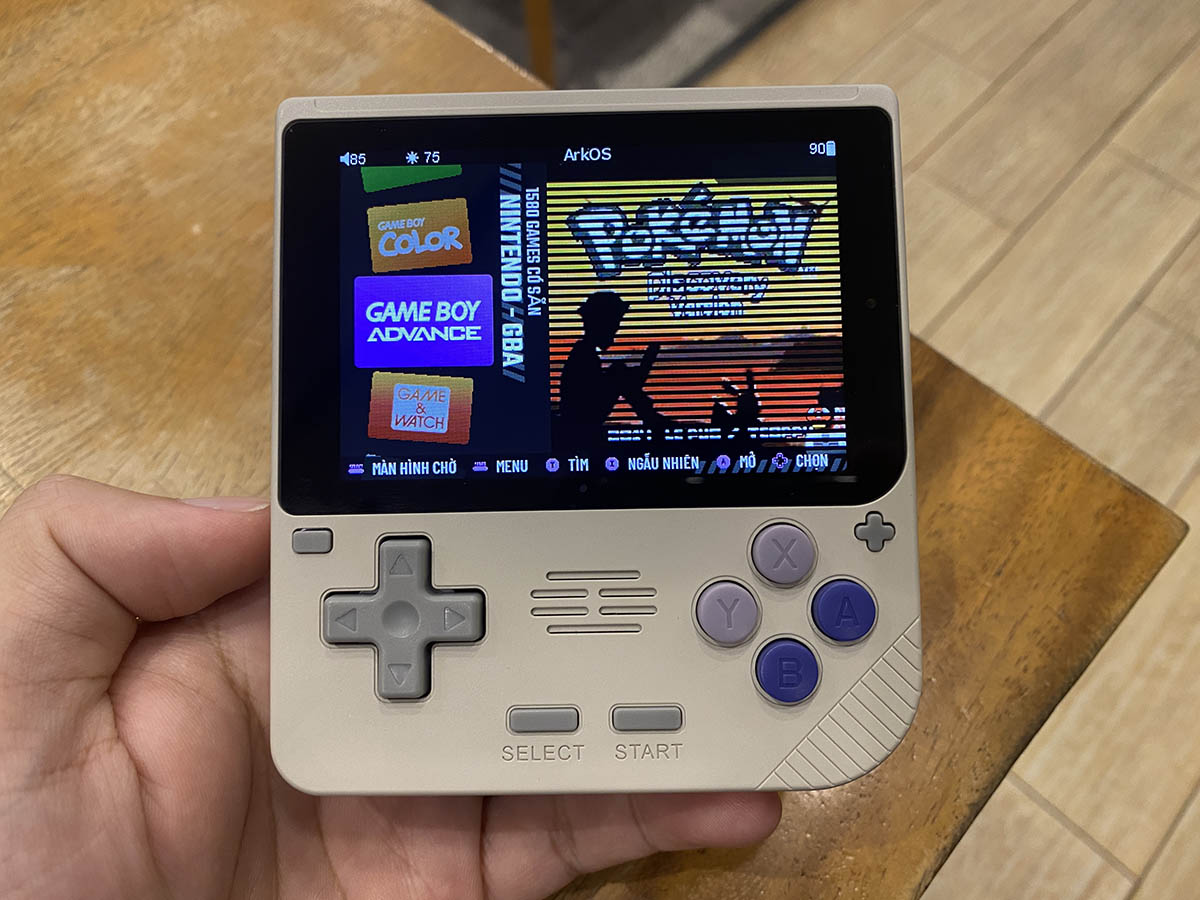
After successfully booting up the device, you’ll be taken to the main home interface, where you can browse and select from the various gaming systems supported by your console.
Use the D-pad Up/Down or Left/Right to scroll through the list of systems.
A = Enter
B = Go back
X = Select a random system
Y = Search for a game
SELECT = Activate screensaver mode (it will display random images or videos and the names of games installed on the system).
You can press START to launch a game from the screensaver or MENU to exit screensaver mode.
START = Open the Settings Menu, where you can change the theme, language, adjust volume or brightness, toggle Wi-Fi, and more.
Game List Screen
From the main screen, choose your preferred gaming system to access its game list.
For example, let’s select the GBA system by pressing A — the list of GBA games will appear.
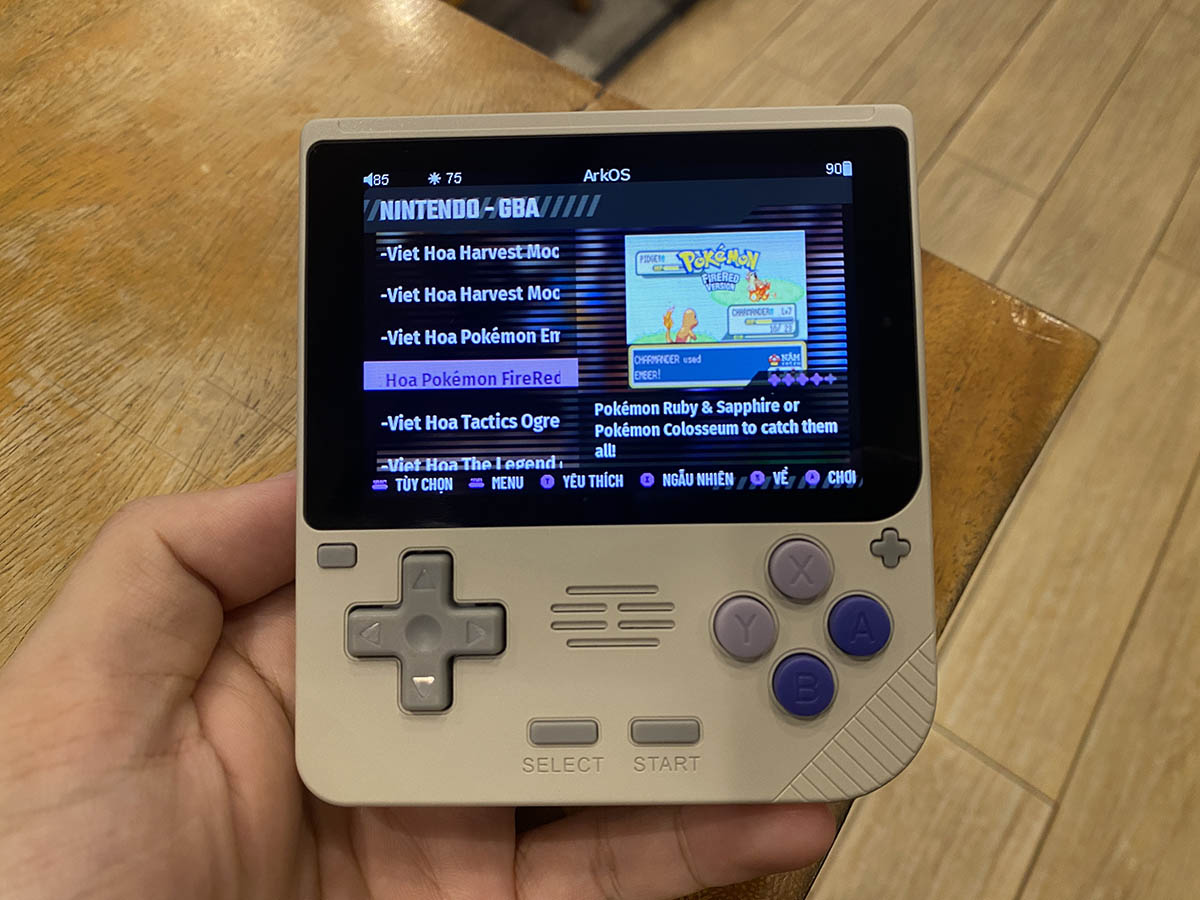
You can use the following shortcuts:
A = Launch the game
B = Go back
X = Pick a random game within the current system
Y = Add or remove the selected game from your Favorites List
L1 / R1 = Skip quickly through the list alphabetically
SELECT = Open system-specific settings
START = Open general system settings
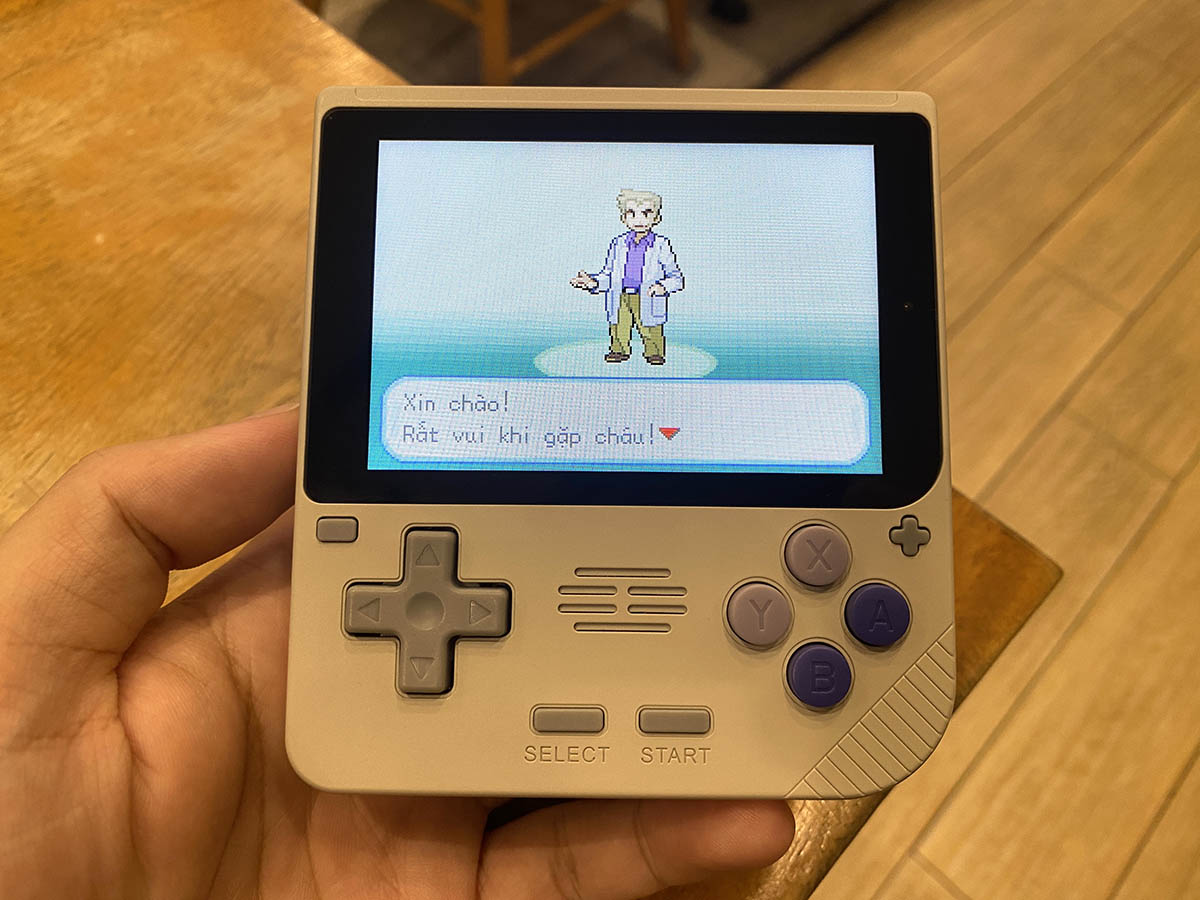
Let’s try launching Pokémon Fire Red (Vietnamese version) by pressing A.
In-Game Shortcuts
Once inside a game, use the following shortcuts:
MENU + X = Open the RetroArch Quick Menu
MENU + Y = Take a screenshot
MENU + A = Pause the game
MENU + B = Reset the game
MENU + L2 = Fast-forward gameplay (only available for supported systems such as NES, SNES, GBA…)
Saving and Loading Game Progress
For systems using the RetroArch emulator (NES, SNES, GBA, PS1, PCE, N64, etc.):
-
MENU + R1 = Save the game to the current save slot (default is Slot 0)
-
MENU + L1 = Load from the current save slot
-
MENU + D-pad Up/Down = Change the active save slot
You can also press MENU + X to open the RetroArch Quick Menu and choose Save State or Load State manually.
For the PPSSPP system, press R3 (press down the right joystick) to open the PPSSPP menu.
Select Save State to save your progress or Load State to resume from a previous save.
For the NDS system (Drastic emulator):
Press L3 (press down the left joystick) to open the Drastic menu.
Select Save State to save, or Load State to restore a previous session.
Press R3 to toggle the virtual stylus; use the right joystick to move the stylus.
Exiting a Game
For games using the RetroArch emulator, hold MENU and press START twice quickly.
For Ports or PICO-8 games, use one of the following:
-
START + SELECT, or
-
MENU + START, or
-
MENU + SELECT
If these don’t work, look for an in-game option such as Quit Game or Exit Game.
For PPSSPP, press R3 to open the PPSSPP menu, then choose Exit to Menu → Exit,
or use START + SELECT, MENU + START, or MENU + SELECT combinations.
For Drastic (NDS), press L3 to open the Drastic menu, then choose Exit.
Adding and Transferring Games
To add and transfer new games to your R36S, Powkiddy RGB10X, or any other device running ArkOS,
please refer to our detailed guide on this topic!
Summary
That’s it! Nam Retro has now shown you how to use the basic functions of ArkOS on supported devices such as Powkiddy V10, RGB20S, Anbernic RG353 V/VS P/PS, and others.
We hope this guide helps you get comfortable with your console and enjoy your gaming experience! 🎮
